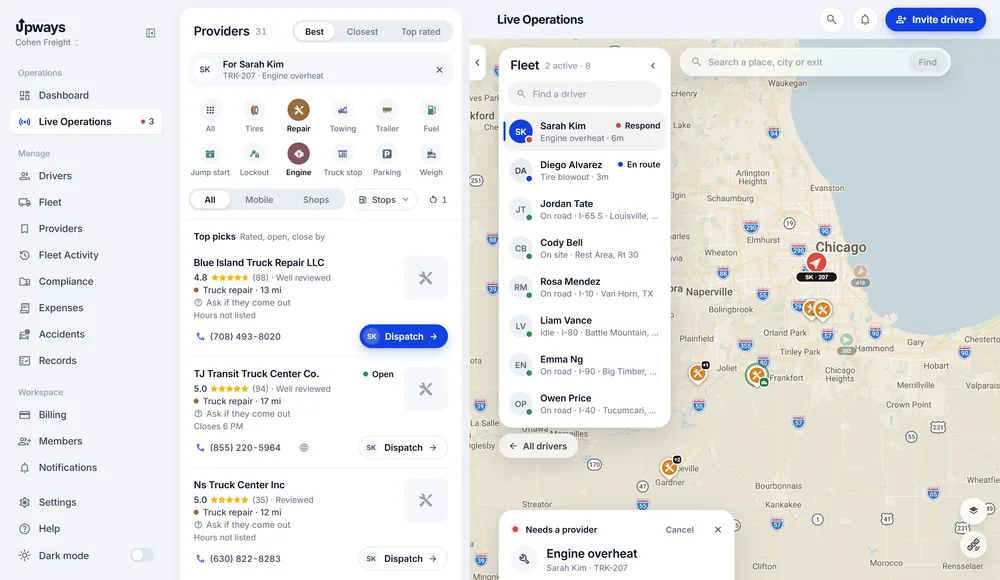
Every breakdown, handled from one screen.
Your driver taps Need help. You see the truck, the problem and the shops that fix trucks nearby. Call one, send it, and every step after that updates on its own.
- No hardwaredrivers use the iPhone they carry
- No contractcancel whenever you like
- 14 days freewith a card on file
Fewer calls. More trucks rolling.
The same breakdown from your desk, two ways.
The usual way
- A driver calls. You write down where he is from what he can see.
- You search a map for a shop that works on trucks, then call around.
- You call the driver back to tell him who is coming.
- Check in calls all afternoon to find out where it stands.
- The cost and the receipt turn up days later, if at all.
With Upways
- The rescue arrives with the exact spot, the truck and the problem.
- Shops matched to the problem, with phone, rating and hours when the listing has them.
- Send it once. The driver's phone gets the shop, the number and directions.
- Each step the driver taps shows up live, on the web and on your phone.
- The rescue closes with its cost and receipt, in Rescue history.
From a stopped truck to help on the way.
The whole job, from your seat. A few taps each, no forms.
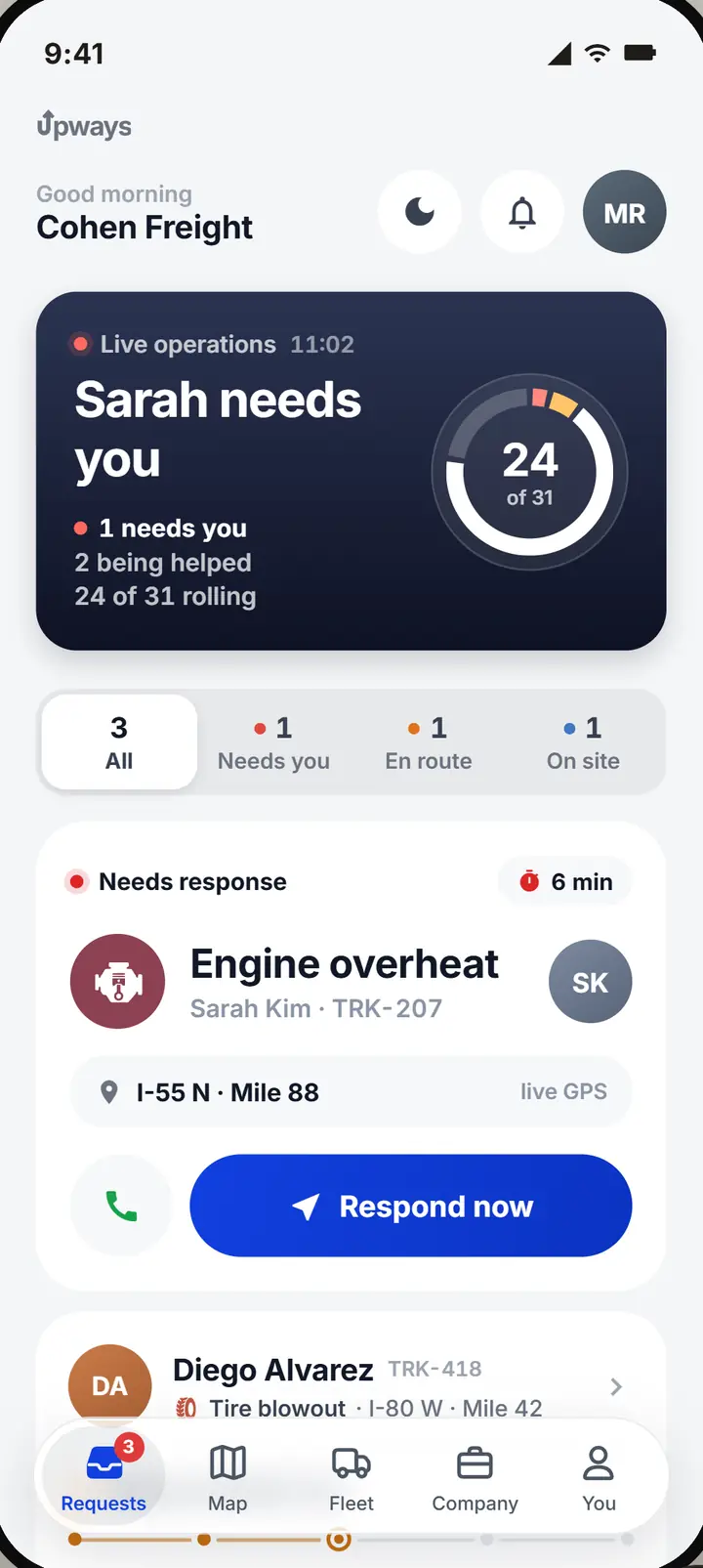
Step 1: A driver needs help
A push on your phone and a card on the board: who, which truck, what broke and where.
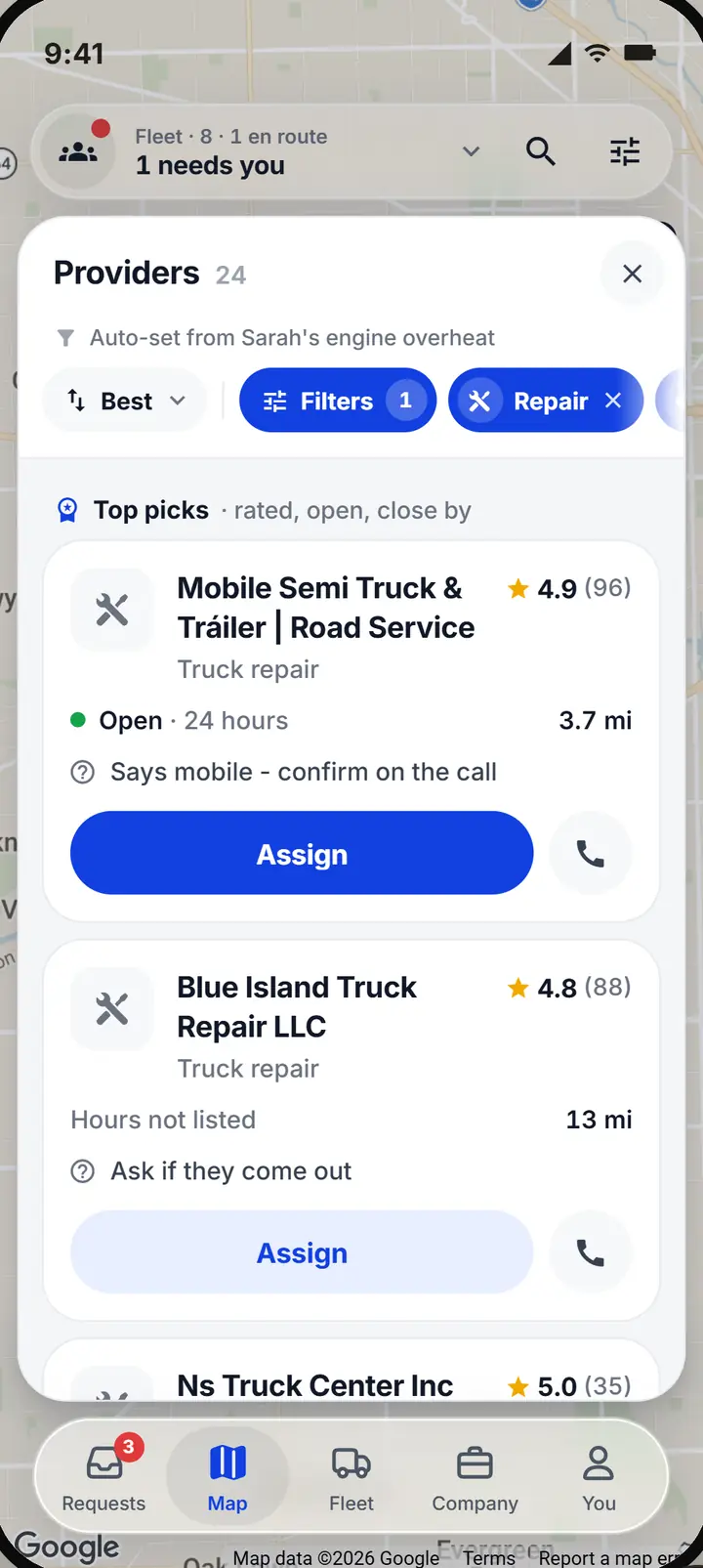
Step 2: Open the providers
Shops matched to the problem, the best rated and closest first.
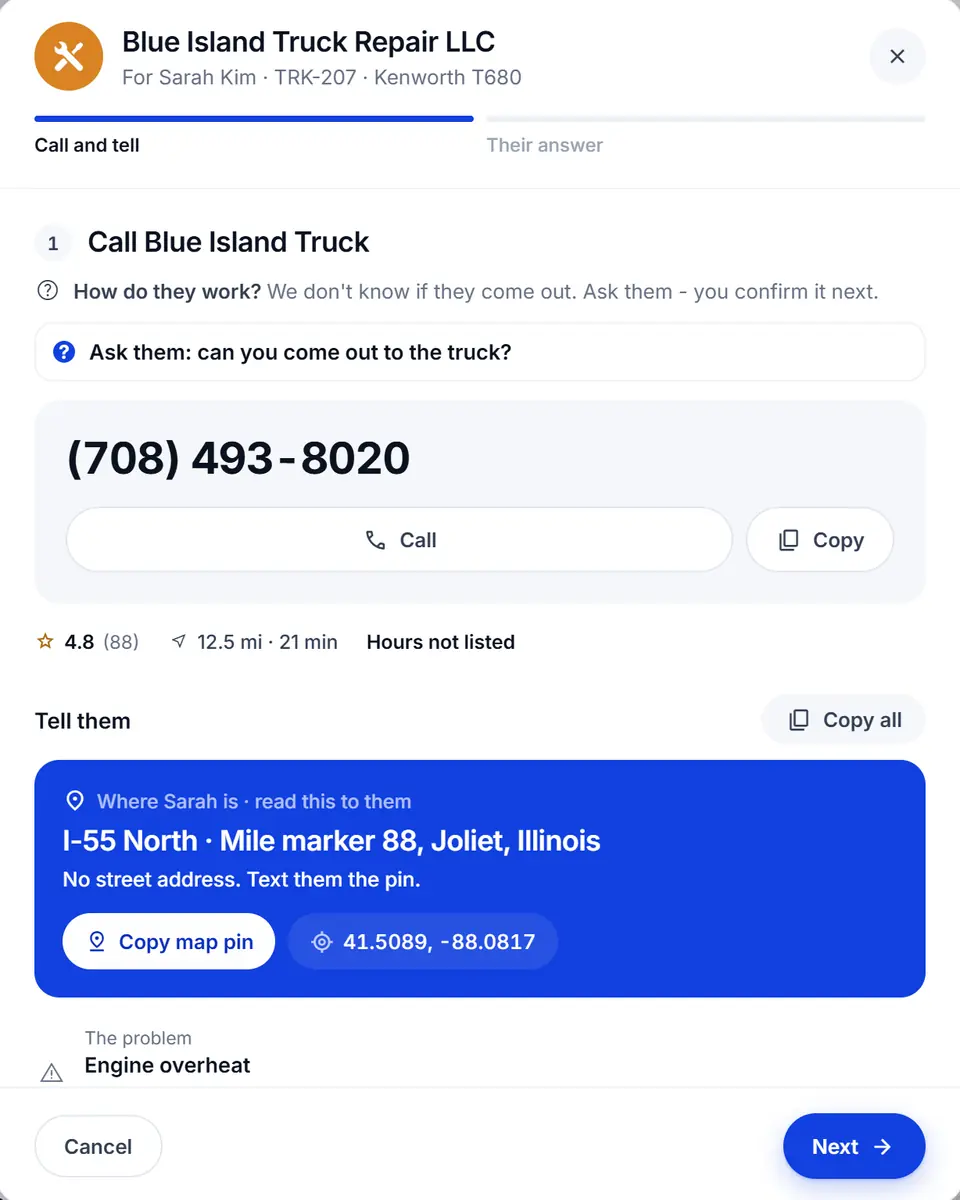
Step 3: Call, then send
The number comes first, then what to tell them, straight off the screen.
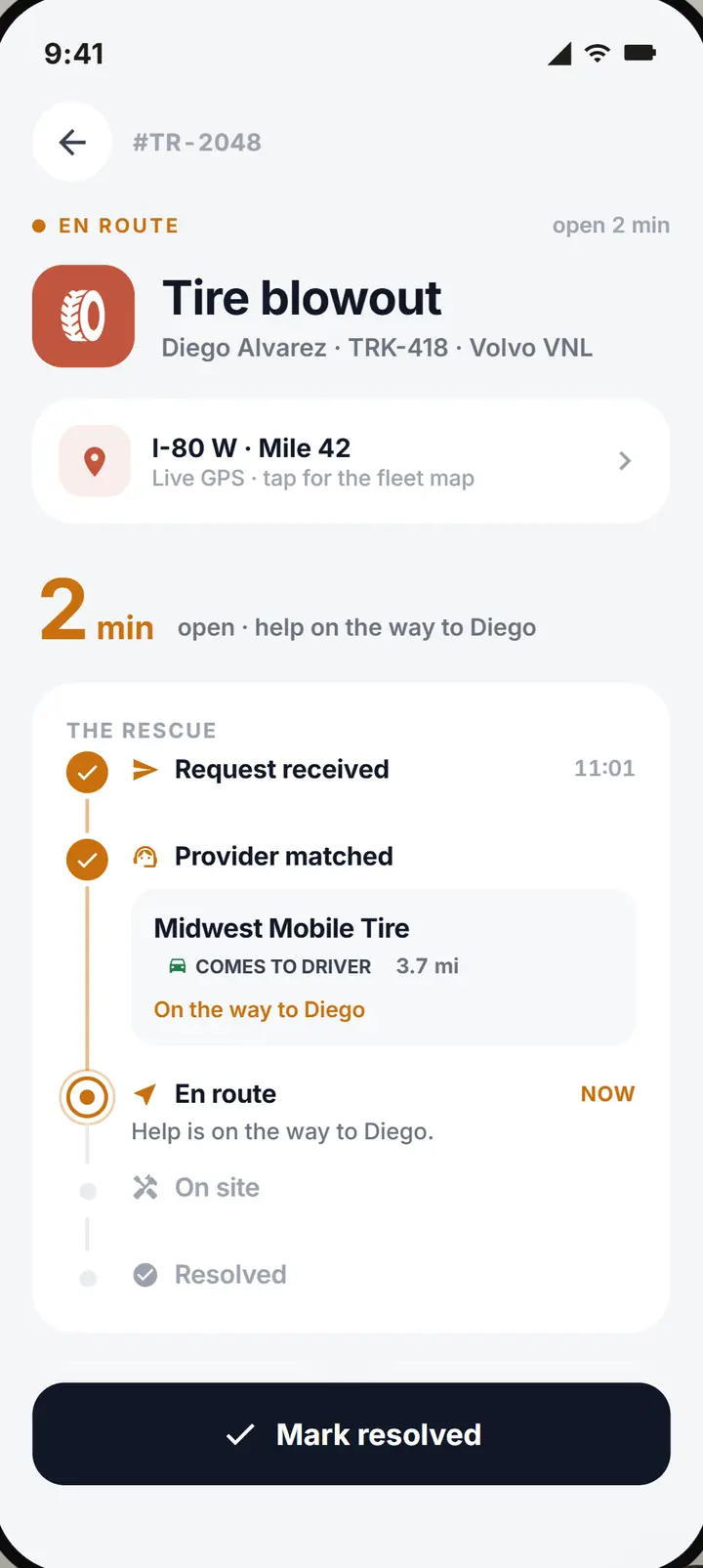
Step 4: Watch it to the end
Each step the driver taps shows up live. When it is done, the rescue moves to Rescue history.
The same steps on the web dashboard and in the dispatcher app.
What dispatch needs, and nothing it does not.
The web dashboard and the dispatcher app, working from the same rescue as your driver.
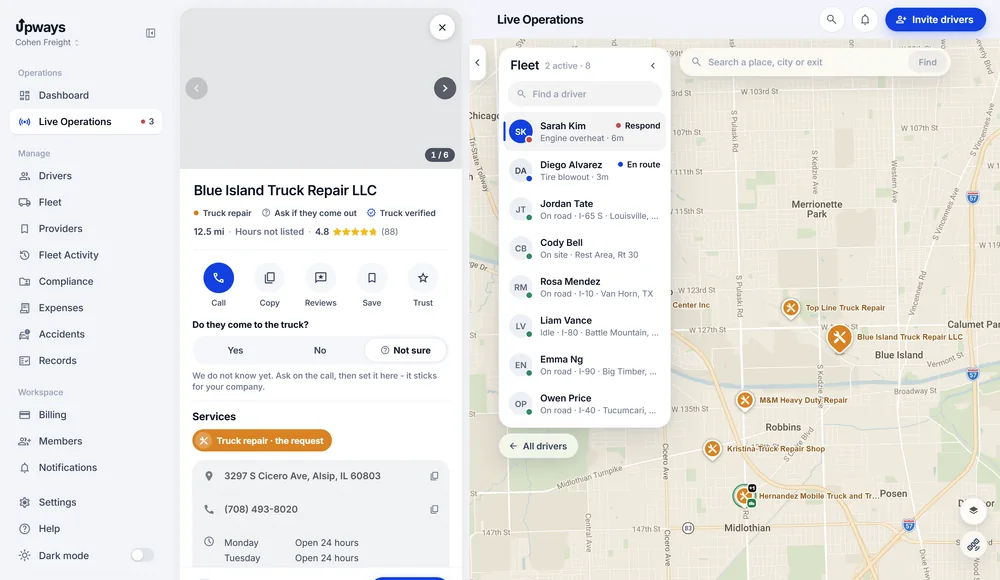
The truck and the shops around it, on one map.
Every driver with a status, the open rescue, and shops ranked by rating, reviews and distance.
- Filtered by the problem. Only the services the breakdown needs.
- Comes out, or not. Each shop says whether it comes out to the truck, and says so when nobody knows yet.
- What you call with. Phone, rating and hours when the listing has them.
Call first, then send it in a few short steps.
The send screen opens with the shop's number and what to tell them.
- Where, what, who. Where the driver is, the problem, the driver and the truck, to read off the screen.
- Their answer, recorded. How help gets there and when. Then it lands on the driver's phone.
- Driving in only when it can. Driving to a shop is offered only when the truck can move.
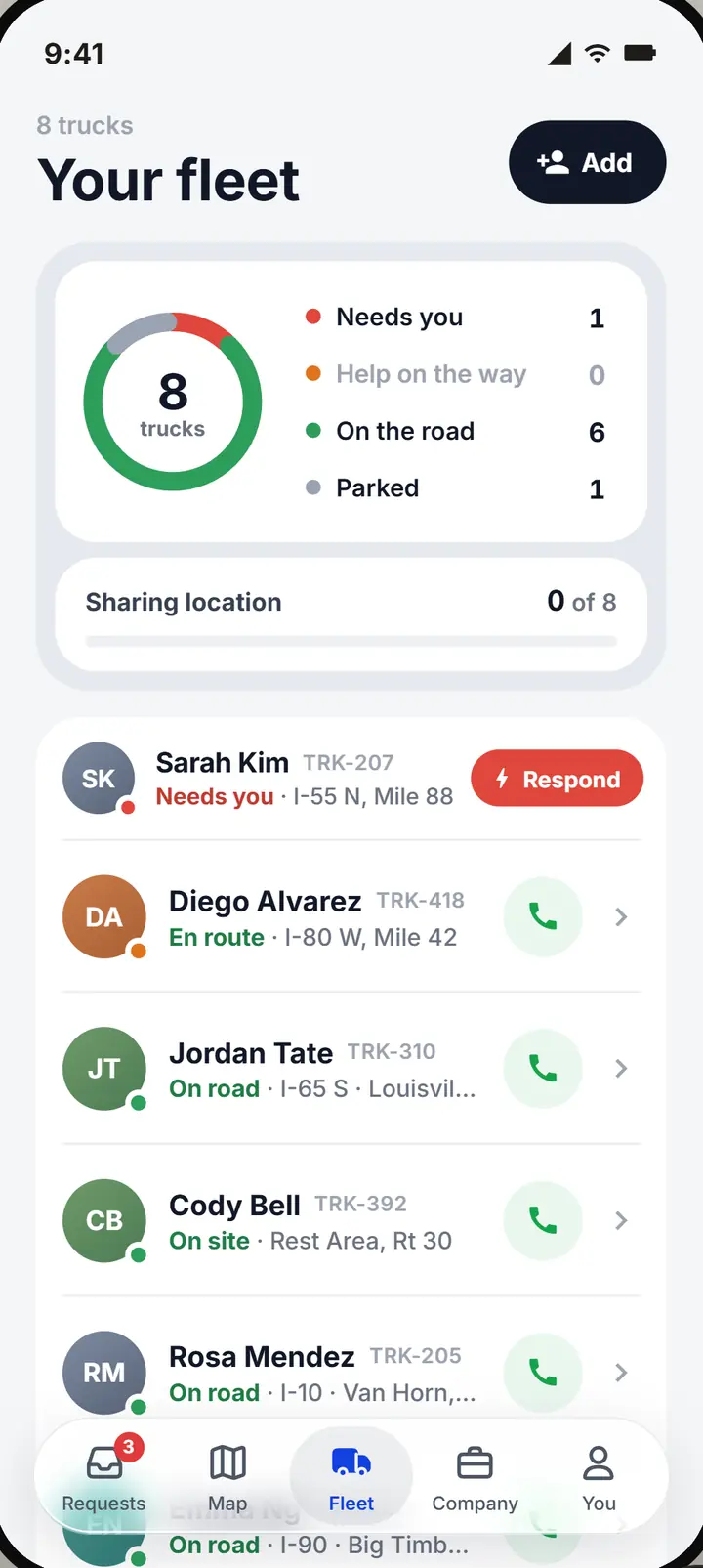
Dispatch away from the desk.
The same rescues, map, providers and fleet, on your iPhone.
- On your lock screen. Who needs help, what broke and how long they have waited. Tap Respond and the app opens on that rescue.
- Several at once? The card says how many more are waiting.
- Tables stay on the desk. Charts and exports live on the web dashboard.
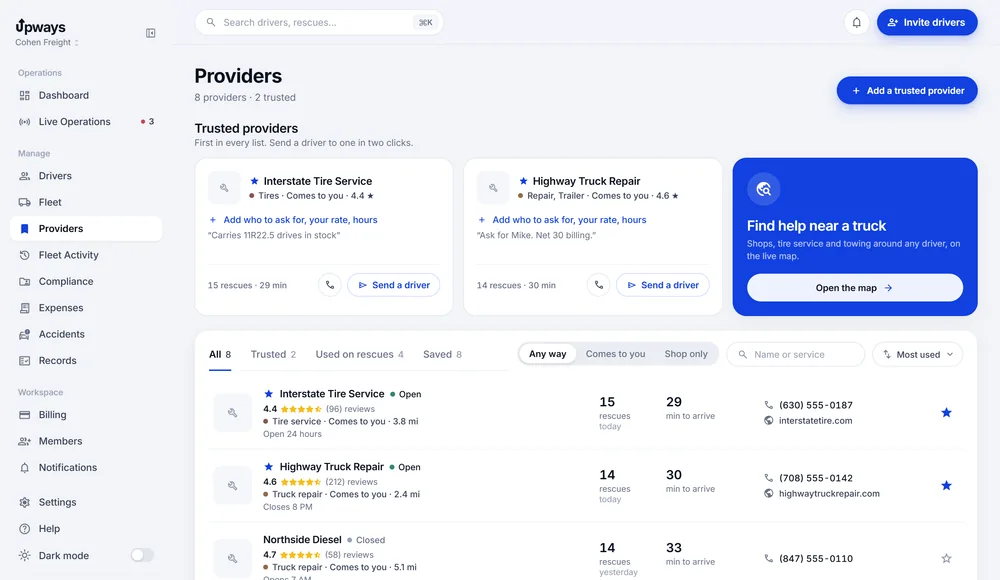
The shops you trust, first in every list.
Save the shops you rely on with who to ask for, your rate and their hours. They come first in every list, and you can send a driver to one in two clicks.
The record keeps itself.
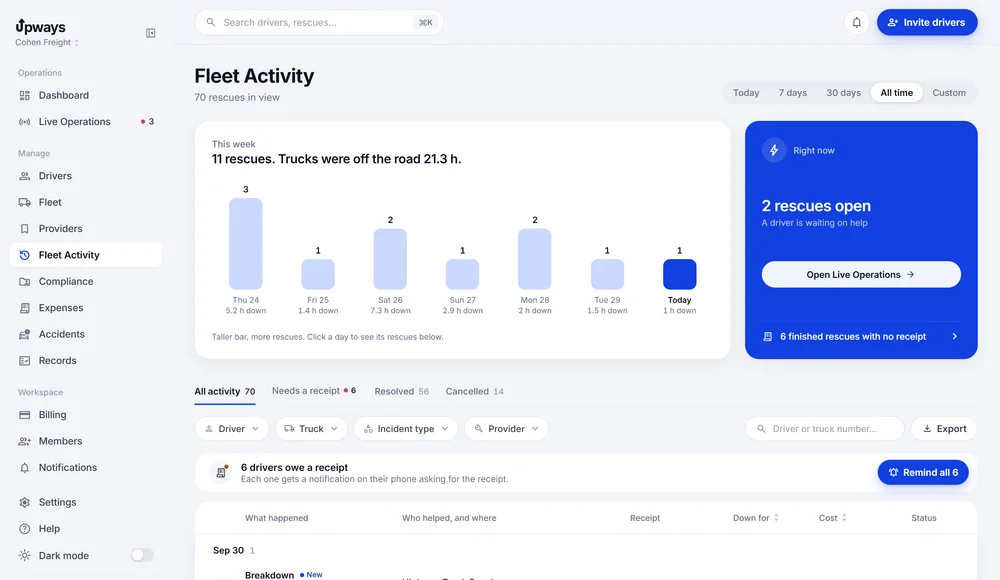
A finished rescue keeps its provider, every update, the time down, the cost and the receipt. Rescue history totals it all and exports to CSV.
- Expenses. Receipts to review and money owed to drivers.
- Accidents. Every report, from new to closed.
- Compliance. Documents that warn you before they lapse.
See it with your own trucks.
About half an hour on a call. We walk one breakdown from the driver's tap to the filed receipt and answer your questions. No slides.
Set up in an afternoon.
What it takes to start, and who sees what.
Setting up
- Create your company on the website
- Add a card for 14 days free; nothing is charged before the trial ends
- No hardware: drivers use the iPhone they already carry
Bringing your team
- Invite drivers by link, email or company code
- Company drivers never need a plan of their own
- Dispatchers join on the website with your dispatcher code, free
- Move a driver to another truck in one step; their phone tells them
Notifications
- Rescue steps, receipts that need information, accident reports and expiring documents
- In the inbox on the web and in the dispatcher app
- Push on the phone, and email for the events that warrant it
One price. Everything included.
The whole fleet pays the rate of its size. 14 days free with a card, cancel any time.
Every driver, every dispatcher, the office dashboard. The rate drops as the fleet grows.
- 1 to 10 trucks$14.99per truck
- 11 to 50 trucks$12.99per truck
- 51 trucks or more$9.99per truck
- Dispatchers and office staff are free
- Live rescues, receipts, compliance, accidents
- 14 days free, cancel whenever you like
One truck, and an app built for one. You find the help and book it yourself.
Hiring drivers later? The same account becomes a company with a web dashboard, at the fleet rate. Your records stay.
- Find help: truck shops, tire help and tows near you
- Your own rescue steps, on your lock screen
- Your expenses and documents, with an export for your accountant
- 14 days free, cancel whenever you like
14 days free with a card on file. Repairs, tires and towing are paid to the shop, not to Upways.
Upways Freight, our TMS
Loads, dispatch and driver pay, in the same place as your rescues. One system for the truck and the freight on it. Everything you use today stays as it is.
It is not open yet. Want to hear the day it is?
Email us to hear first- Does sending a shop mean it took the job?
- No. The send screen opens with the shop's number, so you call, agree the work and how help gets there, then confirm and send. The call is the yes; the record keeps who you arranged and when.
- How do drivers join?
- From Team & access, invite a driver by link, email or your company code. They install the app, sign in and enter the code, and they appear in your fleet list right away.
- Can a driver pick the shop himself?
- Yes. A driver can call a shop from the map and choose it. The rescue and the provider show up on your board the same way as one you sent.
- Who pays the shop?
- You do, directly, the way you do today. Upways records the cost with the rescue; it does not bill for repairs, tires or towing.
- Where do finished rescues go?
- Rescue history keeps every resolved rescue with its provider, updates, cost and receipts. Expenses, accidents and documents have their own pages with filters, search and CSV export.
- Do dispatchers cost extra?
- No. Dispatchers, the owner and office staff are free on the fleet plan.
Give dispatch one place to follow the work.
Set up your company, invite your drivers with a code, and the next time a truck stops you will see it first.